Posts

WEEK 14

Image
14.1  More further research  Before getting started with high fidelity prototype 1, I decided to do more research on the user interface design for disabled people as well as for people without disabilities. Also, I did some research on the tips and guidelines on the colours friendly for the users with disabilities, tips on creating a better user interface, tips on creating user interface for people with disabilities and many more. It is to help me have a better understanding on the user interface design while start working on the high fidelity prototype. After having some research, I realised there are so much details we need to pay attention on while designing user interface of an prototype especially for users with disabilities. Hence, during the research, I also did some brainstorming on what colours are suitable for the branding which meanwhile disabled friendly to the people with vision impairements.  Below are some of the research done before getting started with hi...
WEEK 13

Image
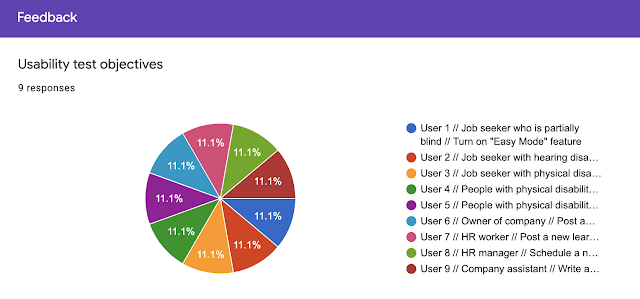
13.1    Usability Test (1st round) After done the User Acceptance Form, I started to carry out usability test this week. At first, it was a really challenging task for me to find people with disabilities to participate in this test. However, after trials and error and the help of one of my friend (who also a person with disabilities), I finally found few more participants with disabilities to participate in the usability test.  During the process, I give the target user a specific task to achieve when conducting the usability test on the low fidelity prototype. I have recorded down the results and give them to fill up the User Acceptance Form so I could understand which part of my prototype need to be improved. In this usability test, it is aimed to make sure the app function, features and flow are in line with user's expectations and needs. It helps me to know what is the issue faced by the users while completing the task given to them so I could improve the user experie...

WEEK 12

Image
  PROJECT PROGRESS 12.1 Low fidelity prototype progress (in Adobe XD) This week, I continue to do my low fidelity prototype in order to do a usability test before get started with high fidelity prototype. Due to the big amount of interface need to be designed and animate. I spend quite a lot of time in figuring the best flow and layout as well as other designs. During this process, I realised creating an app prototype is indeed not easy, it requires so much of frames to reach to a prototype level, yet, this haven't including the linking part (link all the frames). It was my first time doing such project to create a low fidelity app prototype, therefore, my speed in doing the project slightly slower due to I keep searching for tutorials as well as animation tutorial at online so I could learn how to make a better prototype. It is a new experience for me to explore but I did learned and gain a lot of new knowledge during the process. Below are some part of my low fidelity prototype p...